

Store
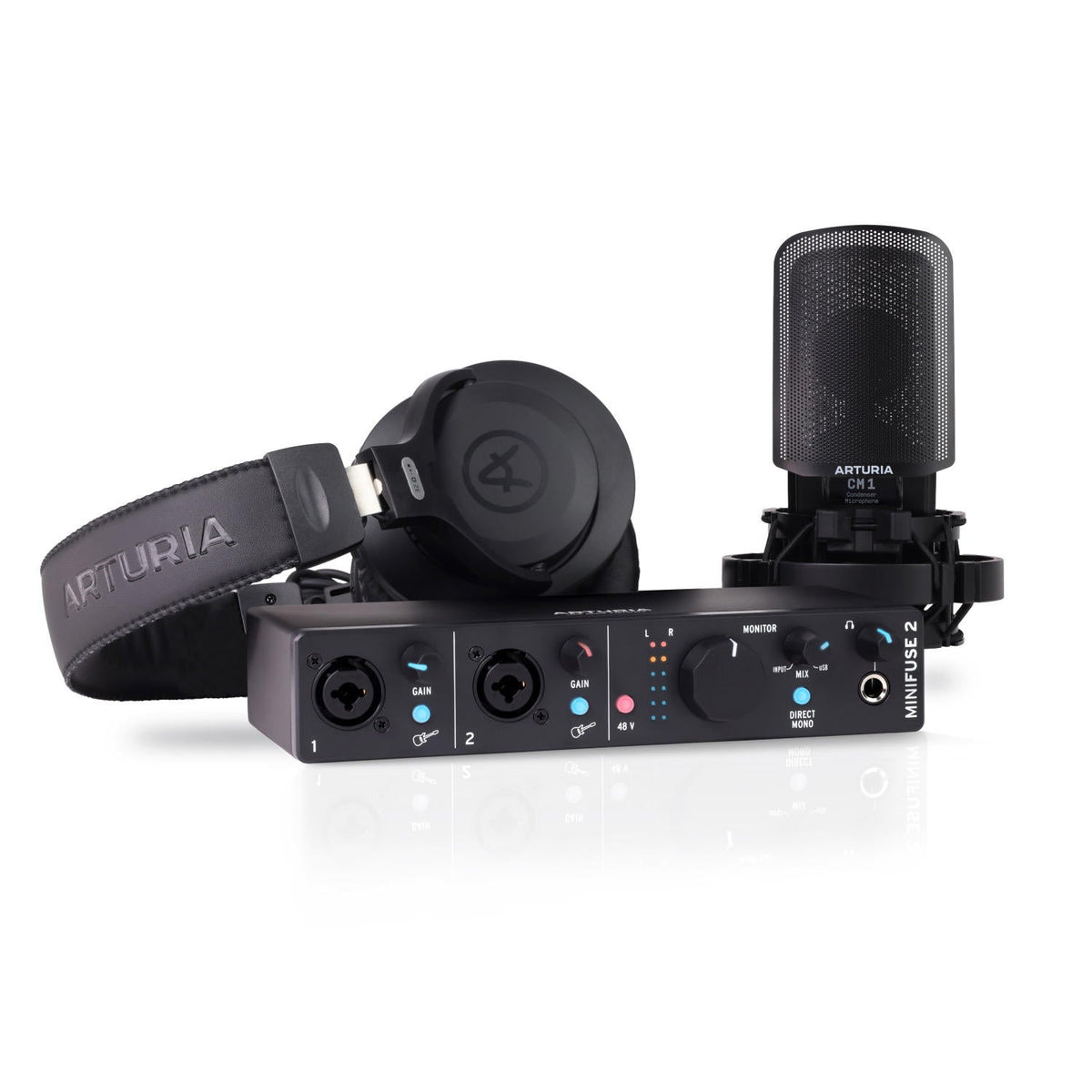
Cómo montar un home studio desde cero: equipo básico y opciones para empezar
Descubre cómo montar tu primer home studio con interfaces Arturia MiniFuse, auriculares y monitores KRK. Elige el equipo según lo que quieres grabar.

Audient Horizon: A New Generation of Interfaces for the Professional Studio
Discover Audient Horizon 8P, Horizon 16, and Horizon 32: three Thunderbolt 3 interfaces for professional recording, hybrid studios, and multi-channel systems.

Universal Audio Volt Gen 2: what’s new and which model to choose.
You record a voice at home, listen to it the next day, and it sounds flat. It's not always the microphone or the room's fault: sometimes the input lacks character. That's the promise of the new Universal Audio Volt Gen 2, on sale since October 1, 2026: decide the sound's color before it reaches the DAW, with a button. UA has updated the entire Volt range with six USB audio interfaces: three Volt Gen 2 (Volt 1, Volt 2, and Volt 4) and three Volt Max (Volt 2 Max, Volt 4 Max, and Volt 4P Max). According to the manufacturer, these are the common new features: 32-bit / 192 kHz conversion, compared to 24 bits in the first generation. Tone Shaping preamps with three characters: Warmth (inspired by the UA 610 tube preamp), Focus (solid-state American console), and Shine (British Class A circuit). Color Smart Display, Auto-Gain, and Clip Protection on all models except the Volt 1 Gen 2. Loopback to mix your inputs with computer audio for podcasts, live streams, or videos. USB-powered and class-compliant operation on Mac, Windows, iPad, and iPhone. On the Max models, Max Processing: six compression presets based on UA's 1176, LA-2A, and VCA compressors, with which UA talks about more than 18 combinations per channel. Our point of view: what separates Volt from almost any interface in its price range is not a number, but that it invites you to make sound decisions while recording. It's an advantage if you know what you're looking for. And a risk if you don't: what enters colored in the take can no longer be removed in the mix. What has changed compared to the first generation of Volt? The original Volt (2021) already had a Vintage mode inspired by the UA 610 and, in the "76" models, an analog compressor based on the 1176. Gen 2 expands those two ideas and adds aids for recording without fighting with levels. Volt 1st generation (2021) Volt Gen 2 / Volt Max (2026) Conversion 24 bits / 192 kHz 32 bits / 192 kHz Preamp character Vintage mode (610), enabled or not Three modes: Warmth, Focus, and Shine Compression while recording 76 Analog compressor, 3 presets (Volt 176, 276, 476, and 476P) Max Processing, 6 presets based on 1176, LA-2A, and VCA (Max models only) Display and level adjustment No Smart Display, Auto-Gain, and Clip Protection (except Volt 1 Gen 2) Digital expansion No Optical ADAT input, up to 8 channels (Volt 4 Gen 2 and all Max models) Volt 1 1 input / 2 outputs 2 inputs / 2 outputs: mic and Hi-Z at the same time Volt 2 2 inputs / 2 outputs 2 inputs / 4 outputs Model with 4 preamps Volt 476P: 4 inputs / 4 outputs, with external power supply Volt 4P Max: 12 inputs / 6 outputs Software Third-party plugin package + LUNA UAD Volt Studio Bundle (15 plugins and LUNA), Melodyne Essential, and 3 months of FL Studio Producer Edition Is it worth upgrading if you already have a Volt? It depends on what you're missing. The move from 24 to 32 bits alone won't change how a well-recorded take sounds. There are three changes with a practical effect: choosing between three preamp characters, having Auto-Gain adjust the level, and being able to expand channels via ADAT. If your Volt is up to the task and you record one or two sources with controlled levels, there's no rush. If you run out of inputs or struggle to set the gain, the Gen 2 does solve a concrete problem. Which Volt Gen 2 or Volt Max is right for you? The useful question is not which one is "the best," but how many sources you record at once and if you want to compress while recording. Model Inputs / outputs Preamps What it adds Price at Microfusa Right if… Volt 1 Gen 2 2 / 2 1 + independent Hi-Z input Three Tone Shaping modes €139 You record voice and guitar at the same time and don't need a display Volt 2 Gen 2 2 / 4 2 Smart Display, Auto-Gain €199 You sing and play, or do a two-person podcast Volt 4 Gen 2 12 / 6 2 ADAT, MIDI, line inputs 3-4 €279 You produce with synths or drum machines and want to expand via ADAT Volt 2 Max 10 / 4 2 ADAT, MIDI, talkback, Max Processing €299 You want to compress while recording in a compact format Volt 4 Max 12 / 6 2 Volt 4P features plus speaker switching and Max Processing €399 You mix on two pairs of monitors Volt 4P Max 12 / 6 4 Four Tone Shaping preamps, Max Processing €499 You record a simple drum kit, a live band, or a four-person podcast Prices include VAT at microfusa.com as of October 9, 2026. Check availability on each product page. Our take: for most one-person home studios, the Volt 2 Gen 2 is the sweet spot, because it's the most affordable model with a display and Auto-Gain. The Volt 1 Gen 2 makes sense if budget is the deciding factor and you don't mind setting the gain by ear and with the DAW meters. The Max models are justified if you're really going to use compression while recording; if you prefer to decide on it in the mix, you're paying for something you won't use. What to know before buying Volt 1 Gen 2: no Smart Display, Auto-Gain, or Clip Protection. Compression only on the Max models. The Volt Gen 2 preamps add character, but they don't compress. What you color while recording is recorded. If you're not sure about the final sound, record with moderate settings. Auto-Gain: the manual advises against using it on instrument inputs (Hi-Z). USB-powered. If the port doesn't provide enough current, the Volt 2 Gen 2 supports a 5 V USB power supply in a second port. Compatibility: Lightning-connected iPhone and iPad devices need the Apple camera adapter; on Windows, the ASIO driver from the UA Connect app is used. Who they're not for Volt is designed for the desktop: compact, USB-powered interfaces for recording at home or on the go. The most complete model offers four preamps. If you're setting up a studio with more simultaneous microphones, recording full bands, or working with rack equipment, you need another category of interface. In that case, ask us and we'll help you size the system. Choose wisely You don't have to buy the largest one, but the one that fits what you record today and what you want to record in a year. Check our stores or write to our team and we'll help you choose according to your project. Frequently asked questions about Universal Audio Volt Gen 2 What is the Universal Audio Volt Gen 2? It's the second generation of Universal Audio's Volt USB audio interfaces, on sale since October 1, 2026. It includes six models with 32-bit / 192 kHz conversion and Tone Shaping preamps with three characters: Warmth, Focus, and Shine. What's the difference between Volt Gen 2 and Volt Max? The Volt Max models add Max Processing: six recording compression presets based on UA's 1176, LA-2A, and VCA compressors. The Volt Gen 2 models have the same Tone Shaping preamps, but without built-in compression. What has changed compared to the original Volt? It goes from 24 to 32 bits, the Vintage mode becomes three preamp characters, and Smart Display, Auto-Gain, and Clip Protection arrive (except on the Volt 1 Gen 2). Volt 4 Gen 2 and the Max models add ADAT input to expand up to 8 channels. Which Volt Gen 2 is best for podcasting? For two voices, the Volt 2 Gen 2: two preamps, Auto-Gain, and Loopback to mix computer audio. For four participants, the Volt 4P Max, with four preamps and recording compression. Does it work with iPad, iPhone, and Windows? Yes. They are class-compliant on Mac, Windows, iPad, and iPhone. On Windows, the ASIO driver from the UA Connect app is used, and Apple devices with a Lightning connector need the camera adapter. What software does it include? The UAD Volt Studio Bundle, with 15 plugins (including LA-2A, 1176, Topline Vocal Tune, and the PolyMAX and Anthem synths) and the LUNA DAW. Also Melodyne Essential and three months of FL Studio Producer Edition, among others.

Best audio interfaces on the market
A selection of audio interfaces from Universal Audio, Arturia, RME, Audient, Focusrite, and Solid State Logic, highlighting their key features and options for studio work, production, and content creation.


