

You have two tracks playing, a transition that needs space, and a hand searching for the filter. At that moment, it doesn't matter how many features appear in the spec sheet. What matters is whether the mixer lets you do what you're hearing in your head.
Choosing between professional DJ mixers is about that: finding a tool that suits your way of mixing. Not buying more channels "just in case" or assuming that the most expensive one will make you mix better.
We compare three options with different approaches: Pioneer DJ DJM-A9, Allen & Heath Xone:96, and Pioneer DJ DJM-V10. This is not a podium. It is a guide to understanding what you gain, what you give up, and when each one makes sense.
What should you decide before choosing a DJ mixer?
Before talking about brands, think about a real set.
Do you mix two tracks or work with three and four sources? Do you use effects as an accent or as a central part of the set? Do you want to connect players, turntables, a computer, or a combination with drum machines and external effects?
These answers matter more than a feature you might never use.
Our stance is simple: a professional mixer is defined not only by what it allows you to do, but by how easy it is to do it without losing sight of the music.
Who is the Pioneer DJ DJM-A9 for?

The DJM-A9 is a four-channel mixer that combines Sound Color FX, Beat FX, and simultaneous connection of two computers. Its approach is ideal for those looking for a versatile booth and built-in effects within easy reach.
Here, the advantage is not accumulating options, but being able to incorporate them into the set without building a system around external processors. In addition, the dual computer connection makes it easier to prepare handovers and shared sets.
A practical detail is Center Lock: when activated, the Sound Color FX knob stops in the center to prevent you from accidentally moving to the other side of the effect.
Where we would choose it: in a setup with different people at the controls, various set styles, and the need to handle effects from the mixer itself.
Its most obvious limitation in this comparison is the four channels. If your setup already combines several simultaneous sources and you need room to keep expanding it, it is best to map out the connections before deciding.
The A9 makes sense when you want to focus on mixing, with built-in creative resources and without turning every set into a routing exercise.
View the Pioneer DJ DJM-A9 at microFusa
What changes with the Allen & Heath Xone:96?

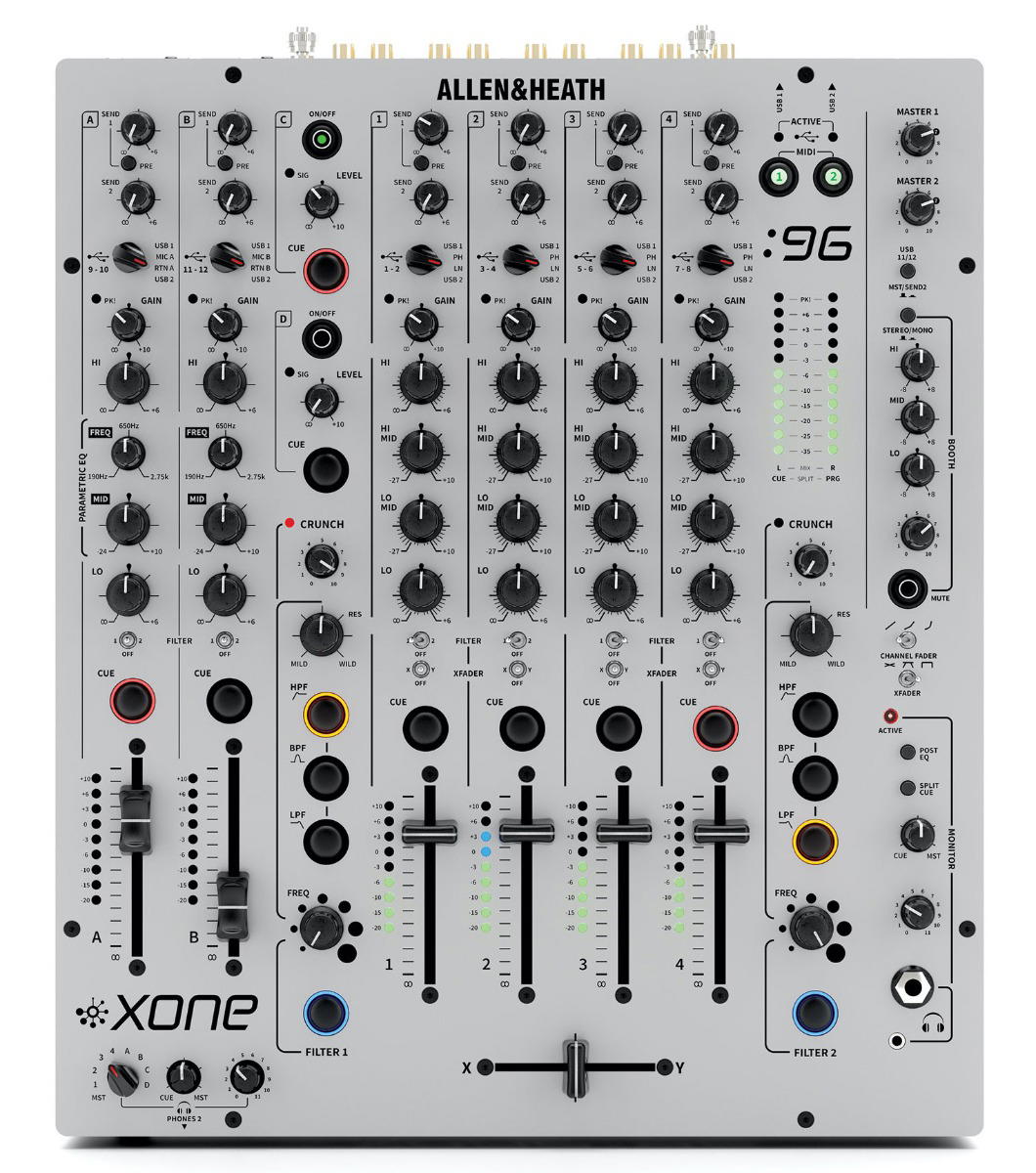
The Xone:96 offers a different relationship with mixing: analog engine, four-band EQ, and two VCF filters with CRUNCH control, which adds harmonic distortion before the filter.
It features four main stereo channels with four-band EQ, two additional stereo channels with three-band parametric EQ, and two auxiliary stereo returns. It is not advisable to reduce that architecture to a single number and compare it directly with the six channels of a V10: the controls and features of each input are different.
It also includes two independent USB connections and two effect sends, an interesting foundation for combining a computer, turntables, and external processing.
Where we would choose it: in sets where EQ, filters, and the progressive building of the mix carry a lot of weight.
The downside is the approach to effects. We would not choose it expecting a workflow equivalent to the Beat FX section of an A9. If you want to work with delays or reverbs, you will have to plan how to incorporate them using external equipment or software.
That means more preparation and, depending on your setup, more cabling. For those looking for that control, it is part of the appeal. For those who want to handle everything from a single surface, it can be an unnecessary complication.
View the Allen & Heath Xone:96 at microFusa
When is it worth making the jump to the Pioneer DJ DJM-V10?

The DJM-V10 has six channels, four-band EQ, and a compressor per channel. Its send section allows you to work with built-in effects and up to two external devices.
On paper, there are more possibilities. In a set, the question is what you are going to do with them.
If you mix several tracks, introduce a drum machine, or want to return an effect to an independent channel to keep EQing it, that architecture has a concrete utility. You stop thinking solely about going from one track to another and start organizing layers.
Where we would choose it: in setups with multiple sources and a way of mixing close to building a live mix.
The limitation is not that it falls short, but in buying complexity you do not need. If you usually work with two tracks and occasional effects, a large part of its architecture may go unused.
It is also not advisable to confuse the compressor with an automatic solution for any difference between tracks. It is still necessary to listen and adjust the levels with judgment.
View the Pioneer DJ DJM-V10 at microFusa
Which one would we choose according to your way of mixing?
For a versatile four-channel setup with built-in effects, we would start with the DJM-A9.
To give prominence to EQ, filters, and external processing, we would look at the Xone:96.
To mix several sources and build a system with more send and return possibilities, we would consider the DJM-V10.
We would not choose any of them solely for their logo or for a supposed universal superiority of analog or digital sound. They are different approaches. The useful decision is which one allows you to work better.
And if your priority is scratching, pads, and crossfader control, we would open another comparison: a battle mixer deserves to be evaluated with other criteria.
What should you try before buying?
Make a transition you know well. Listen to what happens when you cut the lows, how the mids respond, and how much useful travel you find in the faders.
Then, play your real setup: sources, effects, and computer, if you use it. You might like a mixer at first contact and it might not solve the connections you need.
At microFusa, tell us how you mix and what equipment you use. We can help you guide your choice and check the possibility of trying the models in Barcelona or Madrid.
You do not need the mixer with the most possibilities. You need the possibilities you use to be where your hands expect them.
Frequently Asked Questions
Do I need six channels to mix professionally?
No. It depends on how many sources you need to mix simultaneously. More channels provide room, but they do not improve a set on their own.
Does an analog mixer always sound better than a digital one?
It is not a useful rule for buying. It is best to evaluate the specific design, the monitoring system, and, above all, how its controls fit into your way of mixing.
Does the Xone:96 allow you to work with a computer?
Yes. It has two independent USB connections with built-in audio interfaces. Before buying, confirm compatibility with your software, operating system, and setup.
DJM-A9 or DJM-V10?
A9 if you are looking for four channels and a workflow focused on mixing and built-in effects. V10 if you need six channels and an architecture oriented toward working with more sources, layers, and sends.


