


How to Record Better Vocals at Home?
You can record a great vocal anywhere: your bedroom, the garage, the living room... wherever you want! In this article, we explain five things you can do to record almost professionally from home. https://youtu.be/NRaAXabdZ90The Best Microphone for Recording Vocals at Home
Today you can record almost professionally without the need for a room full of expensive equipment to get a great vocal sound; all you need is a good microphone. The NT1 Signature Series is a versatile tool that every home studio should have. The NT1 Signature Series is a large-diaphragm condenser microphone that stands out in a wide range of recording applications, especially vocals, and also features an integrated anti-vibration mount and a pop filter to help you keep your recordings clean. Condenser microphones are more sensitive, so they are ideal for capturing the subtlest details of the voice, and larger diaphragms are more capable of capturing lower frequencies, which helps provide a better overall balance for the voice you are recording. Once you have chosen the microphone, all you need is a simple audio interface, such as the AI-1, and a computer with a Digital Audio Workstation (DAW) where you can record and perform some basic processing. The NT1 Signature Series studio condenser microphone offers bright highs, very detailed mids, and rich, warm lows that stand out when capturing powerful vocal performances.
Preparing a Recording Space at Home
When it comes to recording at home, you cannot always choose the shape of the room or the materials of the walls and floor, but you can adapt a space to minimize unwanted noise. First, try to choose a room with as little echo as possible, for this you can clap or sing in the room and listen to how the sound bounces off the flat and hard surfaces. Once you have chosen the location, you can reduce reflections even further by treating the space; for this you can use any soft and dense material that you can place on the walls, the floor, and the ceiling. The rugs, the blankets, the curtains , or soft furniture in the room can make a big difference. If you can, try to choose a space as far away as possible from both outside and inside noise.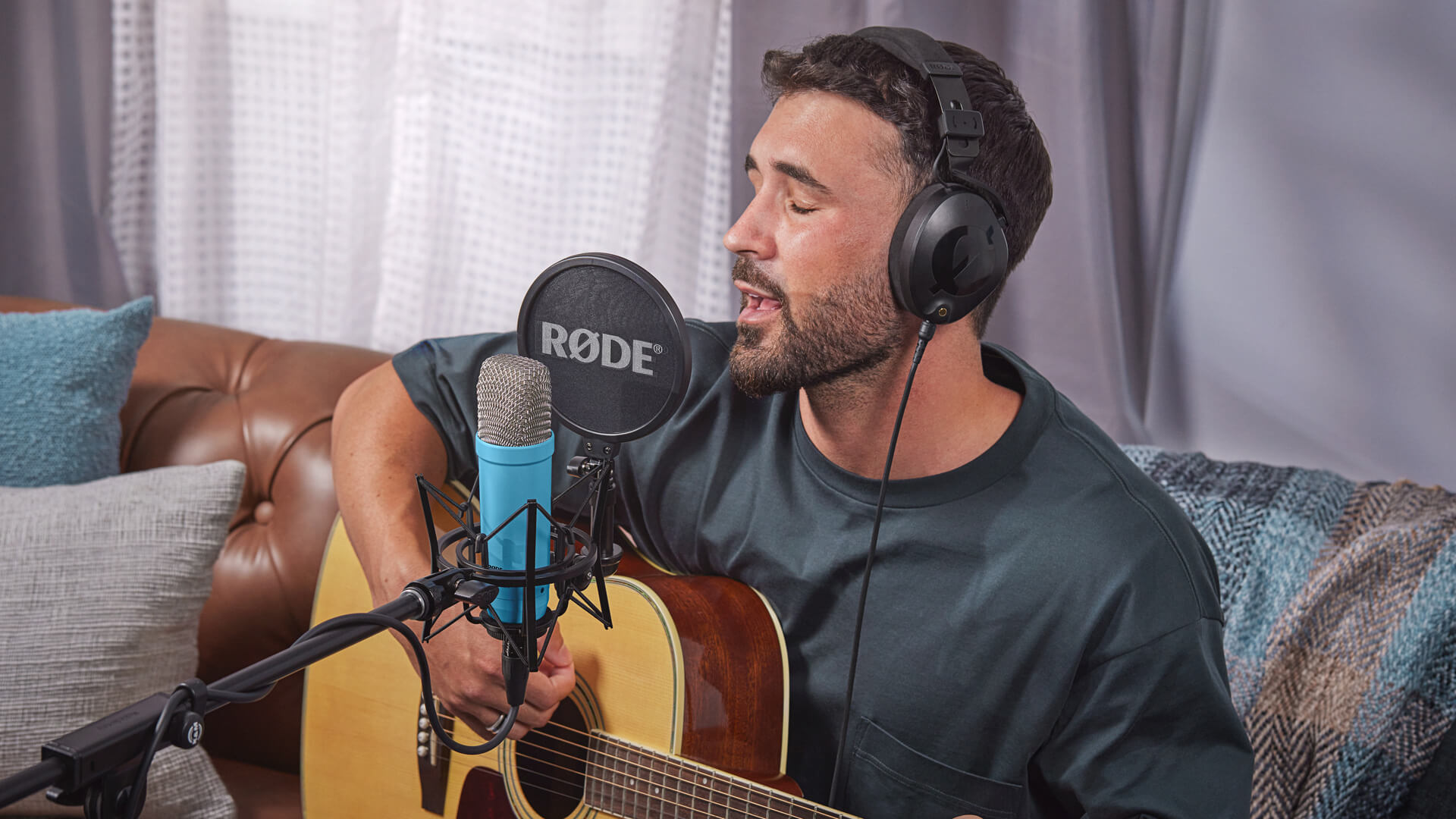 The NT1 Signature Series shines in almost any recording application, from vocals, piano, and acoustic guitar to drums, percussion, and electric guitar.
Microphone Technique
Most large-diaphragm condenser microphones, such as the NT1 Signature Series, are side-address, meaning that the capsule (the membrane that captures your voice) is oriented to one side. These types of microphones usually have a cardioid pickup pattern, which means they will capture the clearest signal in front of the capsule and not behind it. NT1 series microphones feature a gold dot that indicates the front of the microphone - make sure it is facing you when you record! Bearing in mind that large-diaphragm condensers are very sensitive, you should place the microphone at a distance of between 15 and 20 centimeters from your mouth to capture the best sound. Keep in mind that if you place it further away, you will capture more of the room, which will make your voice sound distant and make post-processing more difficult. If you place the microphone less than 15 cm from your mouth, you will start to notice the proximity effect, the closer you are, the more bass you will introduce into the sound. This can be an advantage when shaping the tone of your vocals, but the added bass response can increase the risk of plosives, so experiment with what works best for you. A trick to avoid plosives is to sing slightly angled relative to the microphone, this way, the excess air from some words is directed to one side, instead of going directly into the capsule. Large-diaphragm condenser microphones are usually side-address: the gold dot usually indicates the direction in which RØDE microphones capture audio.
Basic Processing
Once you have recorded your vocals in your DAW, you can use some basic processing tools to make your vocals sound even more professional. Let's look at how to equalize (EQ), compress, and remove distortion. Equalization helps shape the tone of the voice, as it allows you to increase or decrease certain frequencies. In general, the human voice does not contain very low frequencies, so it can be useful to cut them with an equalizer to reduce muddiness. Most likely, the low-frequency content of a vocal recording comes from thumps, plosives, or background noise. To give the voice more clarity and make it stand out more in the mix, you can boost certain mid frequencies. If you notice that certain mid frequencies are already quite high, be careful not to increase them while boosting other frequencies around them. Boosting the highs with a high-shelf equalization is a good trick to give your performance a little more "air" and brightness. Compression helps maintain consistent vocal levels by automatically reducing loud signals and increasing quiet ones in a recording. In general, this gives your vocals a smoother, more professional sound that will blend better into the mix. To start, adjust the compressor threshold until you see that "gain reduction" is occurring; this way you will know the compressor is working. A "de-esser", as the name indicates, is designed to reduce harsh sibilant sounds like "s" and "sh" that can sometimes be quite prominent in vocal recordings. To do this, use a smart combination of EQ and compression, but most de-esser effects are quite easy to handle. These basic processing steps are the foundation of a clean-sounding, professional vocal track. You do not need a bunch of expensive plug-ins to get a good sound: the stock plug-ins that come with your DAW will serve you perfectly.Creative Effects
After performing some basic processing to clean up your vocals, you can add subtle effects that can take your recording to the next level. Here we tell you some of the most used effects on vocals: Reverb, Delay, and Double Tracking. Reverb adds space and depth to vocals, creating an environment that can make the singer appear to be in a small room, a large hall, or an infinite cosmic void. Delay is an effect that adds an "echo" or repetition of the vocals at set intervals (usually synced with the song's tempo) to fill the spaces between phrases and add richness and texture to the overall vocal sound. Double tracking is an effect that can give your vocals a fuller, wider, and more dynamic sound by utilizing the stereo field. One way to achieve this effect is to record several takes of your vocal performance and layer them in your DAW, panning each take further to the left or right. With the right equipment, recording space, technique, and some basic processing and effects, you can start your recordings with studio quality from the comfort of home.MICROFUSA / BARCELONA STORE Sepúlveda 134 / Barcelona / Tel.: 930 186 876 MICROFUSA / MADRID STORE Ardemans 9 / Madrid / Tel.: 910 88 93 30